Streaming Music Videos to a HUB75 LED Matrix
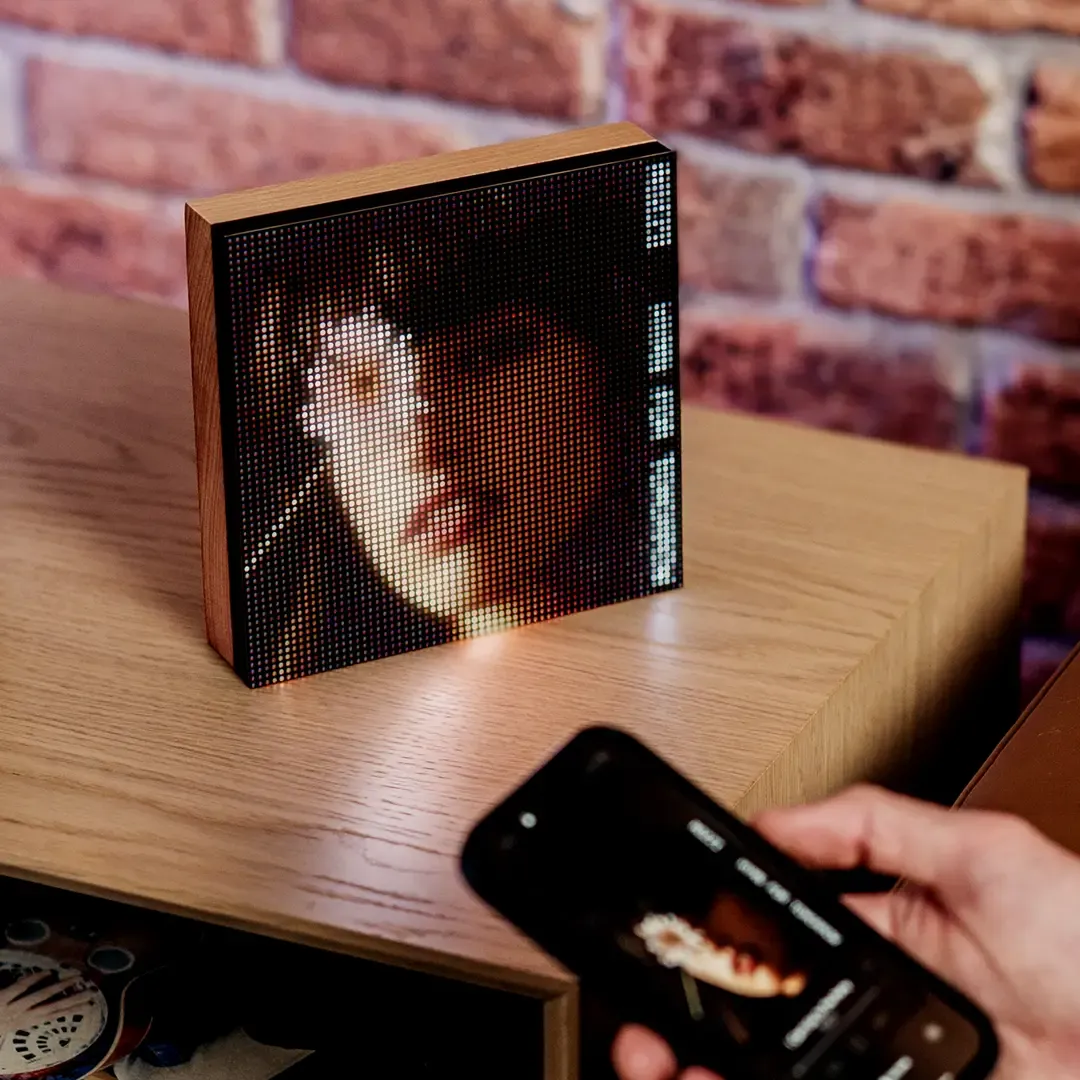
Tuneshine is a product that displays the album artwork of the currently playing song on a 64x64 matrix. I wanted to a make a version of it that plays the music video instead.
Hardware

I have an Adafruit Matrix Portal S3, an ESP32-S3-based microcontroller designed for HUB75 matrices. It's currently paired with the 32x32 LED matrix from Adafruit. It's only 0.25x the resolution of the 64x64 matrix, so videos are very blurry. I am considering getting a 64x64 matrix.
All the processing happens in Home Assistant on Home Assistant Operating System, which is running inside a proxmox VM on an Intel NUC6i7KYK. The VM has 6 GB of RAM.
Software
ESP32-S3
The ESP32-S3 runs WLED-MM. I used the binary from the Adafruit website and their webSerial flashing tool because I had a lot of trouble with flashing using binaries from other sources. I set up WLED with my Wi-Fi network following the normal setup procedure.
Home Assistant
Claude Sonnet 5 helped create the initial version of the automation through HA-MCP.
Currently Playing Media
The automation is triggered when the currently playing title on the Sonos Era 100 changes. The automation only runs if the source is AirPlay and an input boolean for this system is switched on.
YouTube Search
I set up a RESTful command action that queries the Google API for a YouTube video. It only returns one result since I can only play one video for each song. It requires a Google API key.
RESTful Commands in configuration.yaml
rest_command:
youtube_search:
url: "https://www.googleapis.com/youtube/v3/search?part=snippet&type=video&maxResults=1&fields=items(id/videoId)&q="
method: GET
headers:
x-goog-api-key: YOUR_GOOGLE_API_KEY
matrix_play:
url: "http://localhost:8787/play"
method: POST
content_type: "application/json"
payload: >-
{"video_url": "", "cache_key": ""}
matrix_stop:
url: "http://localhost:8787/stop"
method: POST
In the automation, the action is called and the query is the media_artist and media_title from the Sonos Era 100 media player. The result is saved in a response variable which contains the videoId for the search result. This action is only called if the song is not already in the cache, which the automation checks by calling the cached action.
Stream to Matrix
I created a Home Assistant App that streams a video downloaded from YouTube through yt-dlp via DDP to the WLED matrix. This app was entirely created with Claude Sonnet 5 so I cannot vouch for its reliability.
The matrix_play and matrix_stop actions in the Restful Commands code above are used to send commands to the app to stream a video and stop the stream, respectively. In the automation, the videoId is appended to the YouTube URL for the video_url parameter. The app also looks for a cached video and plays directly from the cache if it is available.
Home Assistant Automation
alias: 'Matrix: search + play video for current Sonos track'
description: >-
Checks the matrix add-on's cache first; only searches YouTube on a cache miss.
Skips the search and stops cleanly if the daily YouTube quota is already
exhausted, or if the search returns no results.
triggers:
- attribute: media_title
entity_id: media_player.kitchen
trigger: state
conditions:
- condition: state
entity_id: media_player.kitchen
state: playing
- condition: switch.is_on
options:
behavior: any
for: '00:00:00'
target:
entity_id: input_boolean.matrix_music_video
actions:
- variables:
cache_key: >-
{{ (state_attr('media_player.kitchen', 'media_artist') | default('')) ~
'_' ~ (state_attr('media_player.kitchen', 'media_title') | default(''))
}}
- action: rest_command.matrix_check_cache
data:
cache_key: '{{ cache_key }}'
response_variable: cache_check
- else:
- condition: state
entity_id: input_boolean.youtube_quota_exceeded
state: 'off'
- action: rest_command.youtube_search
data:
query: '{{ cache_key }}'
response_variable: yt_response
- if:
- condition: template
value_template: '{{ yt_response[''content''].get(''error'') is not none }}'
then:
- action: input_boolean.turn_on
target:
entity_id: input_boolean.youtube_quota_exceeded
data: {}
- stop: YouTube quota exceeded
- condition: template
value_template: >-
{{ yt_response['content'].get('items') and
(yt_response['content']['items'] | length > 0) }}
- action: rest_command.matrix_play
data:
cache_key: '{{ cache_key }}'
video_url: >-
https://www.youtube.com/watch?v={{
yt_response['content']['items'][0]['id']['videoId'] }}
if:
- condition: template
value_template: '{{ cache_check[''content''][''cached''] }}'
then:
- action: rest_command.matrix_play
data:
cache_key: '{{ cache_key }}'
video_url: ''
Limitations
Only 100 new songs can be displayed per day because the Google API limits YouTube search queries to 100 per day. This becomes less of a concern as more videos are stored in the cache, but the videos can take up substantial space.
New videos start playing around 5-8 seconds after the song switches. Cached videos play immediately.
Only the center square of the video is shown in the matrix. I think this looks better than squeezing the video into the square.
Why do this?
I wanted to see if it's possible. The video is more distracting than static album art, but it's cool that this can be done.